
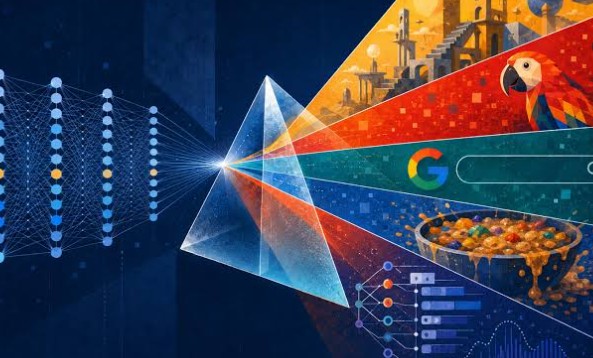
Writers have always relied on metaphors to say what plain language can’t. “Time is a thief.” “His words were daggers.” “Hope is a lighthouse in the fog.” A good metaphor makes an abstract feeling concrete. But on a page, it still asks the reader to do the work of picturing it. A visual metaphor removes that step and shows the comparison directly. Until recently, creating one required an illustrator or hours of design work. AI image generation has changed that, making it possible for anyone to turn a line of figurative language into a picture in minutes.
What Is a Visual Metaphor, Exactly?
A visual metaphor is an image that carries the same comparison a written metaphor makes. If a writer says “her resilience was an oak tree in a storm,” a visual metaphor shows an oak bending under fierce wind but refusing to break, perhaps with a human silhouette subtly formed by its trunk. The meaning is identical, but the image lands faster and stays in memory longer.
Visual metaphors are everywhere once you start noticing them: an hourglass melting into sand dunes in an ad about time, a light bulb made of puzzle pieces on a business book cover, a cracked mirror representing a fractured identity in a film poster. They work because the brain processes images almost instantly, while figurative text has to be decoded first.
Why Do So Many Metaphors Never Get an Actual Picture?
Most metaphors stay as text for a simple reason: illustrating them used to be hard. A writer, blogger or teacher who wanted a custom visual had three options, none of them easy:
- Commission an illustrator, which takes time and money that most articles, lessons and social posts can’t justify.
- Design it yourself, which requires real skill in photo editing or illustration.
- Use stock photos, which are quick but almost never match the specific comparison. Search for “grief like a stone” and you’ll find sad faces and grey rocks, not the image the writer imagined.
So the metaphor stays on the page, and the visual opportunity is lost.
How an AI Image Generator Turns a Metaphor Into a Real Image
The AI image generator on Animx lets anyone describe the exact comparison a metaphor or simile is making and generate a visual built around it. Instead of searching for something close, you describe what you see in your mind, and the model creates it.
Animx brings several leading image models into one workspace: Google’s Nano Banana, with a Pro tier up to 4K, Black Forest Labs’ Flux 2 Max for fine detail, ByteDance’s Seedream 4 for close prompt adherence, and GPT Image. Metaphors are often surreal by nature, and each model interprets surreal combinations a little differently, so being able to run the same prompt across several models and compare them side by side is especially useful here.
Here’s how a few familiar metaphors can become prompts:
- “Time is a thief”: “A shadowy figure in a long coat sneaking away from a bedroom at night, carrying a large antique clock under one arm, moonlight through the window, cinematic and mysterious.”
- “Grief sat like a stone in her chest”: “Woman sitting alone by a window in soft grey light, a heavy smooth stone glowing faintly inside her translucent chest, quiet and melancholic, painterly style.”
- “Hope is a lighthouse in the fog”: “A small glowing lighthouse shaped like a human heart standing on dark rocks, beam cutting through thick fog over a stormy sea, hopeful atmosphere.”
- “The city never sleeps”: “A city skyline at night where every building has open glowing eyes instead of windows, neon reflections on wet streets, surreal digital art.”
- “Ideas are seeds”: “Tiny glowing light bulbs sprouting from soil like seedlings in a garden at sunrise, soft golden light, whimsical and optimistic.”
If the first result is close but not quite right, you don’t have to start over. Edit mode lets you change one detail, such as making the stone heavier, the fog thicker or the colors warmer, while keeping the rest of the image.
Keeping a Series of Metaphors Consistent
Writers often need more than one image. A blog series, an illustrated poem, a course or a book might use a whole set of metaphors that should feel like they belong together. Consistency matters: if every image has a different style, the series looks disjointed.
Animx supports this in two ways. First, you can reuse the same style description, such as “soft watercolor, muted blue and gold palette,” across every prompt. Second, Seedream accepts up to 10 reference images, so you can upload your favorite results and use them as a style guide for the next ones. You can also choose formats to fit where the images will appear: 16:9 for blog headers, square for social posts, 3:4 for book pages and 9:16 for stories.
What About Metaphors Drawn From Real Photos and Memories?
Some of the most powerful metaphors are personal. “My grandfather’s hands were maps of every year he worked.” “Our old house was a lantern that kept the family warm.” Writers often want to illustrate these using a real photo: a grandparent, a childhood home, a place that matters.
Animx lets you start from your own photo instead of a blank prompt. You can upload a picture and edit it: change the lighting, swap or soften the background, remove distracting objects or add metaphorical elements while preserving the original composition. A photo of an old house at dusk can be gently transformed so its windows glow like a lantern. A portrait of weathered hands can be paired with faint map lines. The result stays rooted in a real memory while carrying the meaning of the metaphor.
A practical tip: start with the clearest version of the photo you have. Sharp, well-lit images give the AI much more to work with than heavily compressed copies that have been shared and reshared many times.
Bringing a Metaphor to Life With Motion
Some metaphors are about movement: time slipping away, hope rising, a mind racing. For those, a still image is only the beginning. On Animx, any image can be sent to the video workspace with the Animate button and used as the starting frame for a short clip with models like Seedance, Veo, Kling or Sora. The sand in an hourglass can drift away into the wind, a lighthouse beam can sweep through the fog, seedling light bulbs can slowly flicker on. These short clips work beautifully for social media, presentations and video essays.
What Should You Check Before Using AI to Illustrate a Metaphor?
- A real free way to start. Animx gives new accounts free credits with no card required, so you can test your first metaphor before paying anything.
- Multiple models. Surreal and symbolic images vary a lot between models, so having several in one place gives you better options.
- Editing and references. Targeted edits and reference images help you refine one image and keep a whole series consistent.
- Ease of use. Writers want to test ideas quickly, so plain-language prompts should be enough.
- Usage rights. If your images will appear in a published book, course or commercial blog, check the license. Paid Animx plans include commercial rights.
Frequently Asked Questions
Is there a free way to try it?
Yes. New Animx accounts receive free credits on sign-up with no card required, which is enough to generate and compare several visual metaphors.
Can I keep the same style across a series of images?
Yes. Reuse the same style wording in each prompt and upload earlier results as reference images. Seedream accepts up to 10 references at once.
Can I use my own photos?
Yes. You can upload a photo and edit the lighting, background and details, or add symbolic elements while keeping the original composition.
How is this different from using stock photos?
Stock photos show generic scenes. An AI-generated visual metaphor is built around your exact comparison, so it matches the meaning of your writing instead of approximating it.
Do I need design experience?
No. You describe the image in plain language. A clear description of the metaphor, the mood and the style is all you need to get started.
